This guide is intended as a beginner’s tour of the interface and mechanics in Hearts of Iron 4. For more detailed information on the mechanics, including some of the detailed math behind some of the computer’s calculations, follow the links to the articles dedicated specifically to those concepts.
Starting the game
Single player offers the one-player game of Hearts of Iron IV. All other countries will be controlled by the computer. The Single Player menu allows for playing the Tutorial or to start a new game as well as to load a previous saved game.
Playing the Tutorial gives a quick run-down of the game and is therefore highly recommended. The Tutorial game may be continued as if it was a standard playthrough after finishing it.
Multiplayer enables Hearts of Iron IV players to play online with other people. Up to 32 players may play in one game of Hearts of Iron IV at the same time. The host of the game is able to start a fresh game or load a previous session that was not completed.
Options allows for the customization of sound, appearance and gameplay details of Hearts of Iron IV. This includes adjustment of monitor resolution and user preferences for graphics and sound. The first tab includes very important “game settings.”
Once through basic setup, the player may choose a scenario and a nation to play for the duration of that play session.
Choosing a scenario
Hearts of Iron IV offers two starting scenarios – 1936 and 1939. Each presents different challenges, so the scenario chosen largely dictates the kind of gameplay the players face from the opening.
The world in 1936
The 1936 scenario begins on January 1, 1936. The 1936 scenario is the one most likely to lead to alternate versions of World War II, since it starts with fewer alliances or wars to start. 1936 is the place to begin in order to play through the organization and planning of an economy before the war starts. This scenario is about laying the groundwork for the armed forces and war plans, opening with a focus on production, research and diplomacy.
The world in 1939
The 1939 scenario begins on August 14, 1939. The German Reich has consolidated its power in central Europe and is primed to attack Poland. For a game about World War II that will be more likely (but not certain) to evolve as the real war did, it is advised to start here. This scenario is more about building, supplying and leading land, sea and air forces.
Game settings
In the lower right corner of the map before starting the game are the game settings. Here the player can toggle ironman and historical focus on or off and use the difficulty settings to make the game harder or easier for the player and also boost the relative power of one or more of the more important nations (this makes them stronger, but not smarter). There is also an icon for showing if steam achievements can be earned in the game or not, they require ironman mode and regular or higher difficulty. When finished press the play button in the lower right hand corner to start the game.
General difficulty settings
The general Difficulty settings affect only the player. These do not give the AI any special bonuses or penalties.

Custom difficulty settings
Custom difficulty settings are accessed with the gear icon on the difficulty panel. There is a slider bar for each of the 7 majors and China, each with the option to strengthen that country by 25%, 50%, 75% or 100% of the bonuses provided for that country. As of now, all these countries share one generic bonus profile, but this can be modded by the player to add, remove, or change the specific bonuses.
Below are the full generic modifiers:
- Entrenchment speed: +50%
- Planning Speed: +50%
- Supply Consumption: –50%
- Division Recovery Rate: +30%
- Reinforce Rate: +4%
- Division Attack on core territory: +30%
- Division Defense on core territory: +30%
- Production Efficiency Cap:+30%
- Production Efficiency growth: +50%
- Political Power gain: +50%
- Research Time: –20%
- Air Experience Gain: +50%
- Army Experience Gain: +50%
- Naval Experience Gain: +50%
- Division Experience Gain: +20%
- Ship Experience Gain: +20%
The interface
The user intreface of Hearts of Iron IV will immediately appear familiar to veterans of Paradox strategy games. The left hand of the screen is used to manage large national issues, alert tabs will appear at the top of the screen to warn players of things that need attention, and the right hand side of the screen will be devoted to information about the troops. The very top border of the screen will include important summary information about the state of the game and the world.
Across the top left to center of the main play screen is a row of numbers running from left to right.


Stability
Stability is a measure of the people’s support for the government of the country. Stability may be modified by national spirit traits that can be assigned to countries or it modified through being in a war. Other ways to improve stability is through National Focuses or by employing government advisors. Certain Decisions may improve Stability for a cost of Political Power. High Stability will also protect a country from coup dedates stats, as long as it is above 80%.

War Support
A measure of the war-resolve of the country. When fighting a war against a country with low War Support, less conquered territory is needed to force the country to surrender than would be required if it had high War Support. Certain National Spirits and Focuses may alter the War Support of a country. A country may receive a boost to their war support if they are the defender, while the aggressor will be penalised. Some Economy Laws are locked behind War Support limits, as well as Conscription Laws.

Political power
This is the amount of political capital the national leadership has accumulated. Political power is spent on completing national focus ideas, recruiting military and scientific advisers, changing trade and conscription laws, and executing some diplomatic actions. Each nation gets 2 points of political power per day, modified by certain traits, individuals, player actions or characteristics.

Manpower
The number of men currently available to create and reinforce military units. This is affected by a number of factors, primarily conscription levels and number of units under construction along with casualties suffered. Manpower can be modified by altering a country’s conscription laws and to some extent by occupying and annexing territory from other countries.

Convoys
The number of convoys or transports available. Each trade for strategic resources will require allocating a convoy unit. Moving land units across oceans and seas also requires an allocation of convoys for transport. The number of available transports can be increased by building new convoys in the unit production menu.

Factories
A number giving the total number of factories in the country, including military factories, naval dockyards and civilian factories. We will deal with their roles in a future section.

Command power
Command Power is used to promote generals to Field Marshals and to use commander abilities. Daily Command Power gain and maximum can be modified by the War Support of a country, as well as by some National Focuses and Doctrines. Command Power can also be used to send an attaché to another nation.
As units fight (or, in the case of armies, exercise) they gain experience. Army experience can be spent in the unit designer to edit or create land division designs. Naval and air experience are used for modifications to ship and plane designs, giving them bonuses to speed, firepower, reliability and so on (subject to trade-offs).
When nuclear weapons are researched, another number will appear here, showing the amount of nuclear weapons a country has access to.
Primary map modes
Land Map Mode – Comprises the following three levels of detail and is the mode that will be seen during the majority of game play.
Nations represent the land borders of countries. Interactions with nations occurs within the scope of diplomacy. Nations have names.
A country is built up out of states. Factories, infrastructure, and most other improvements built using Civilian Factories are done at State level. Each state is limited in how many improvements it can have. States also have names.
Within each state are provinces. Interaction with provinces is largely done via land units and a set of constructions that generally aid those units – i.e., forts and naval bases. Provinces do not have names unless they are worth a special amount of victory points and their details are visible in the bottom section of the state overview screen.
There are three other map modes that players use and whose definitions of Region or Area largely ignore national borders and potentially encompass multiple states.
Naval Map Mode – Sea regions of which up to three adjacent ones can be selected when giving orders to naval fleets. Totally independent of the land map mode. Sea regions all have names.
Air Map Mode – Overlays the land and sea map modes. Air bases are assigned operational concern over a given Strategic Region and air wings are given missions. The air base will then have its planes perform their missions within the strategic region. Strategic regions also have names.
Supply Map Mode – Overlays the land map and is divided into Supply Areas. For purposes of the game, while the programmed stats for the various areas are fixed the extent of a given area is determined by occupation of the provinces that comprise the region. They do not have names.
All three of these regions use blue/green/yellow/red border highlighting to indicate neutral/good/moderate/bad conditions in the region relative to either supremacy (land/sea) or sufficiency (supply).
World tension
To the upper right of the screen there is a globe with a percentage below it, indicating the level of world tension. This percentage is the measure of how close the world is to world war. Some diplomatic and military actions, especially for democratic or neutral nations, require world tension to reach a specific level. World tension is increased by historical events, declarations of war, and other hostile diplomatic actions. The Globe can be selected and the Player will see a list of events affecting world tension.
National information and development
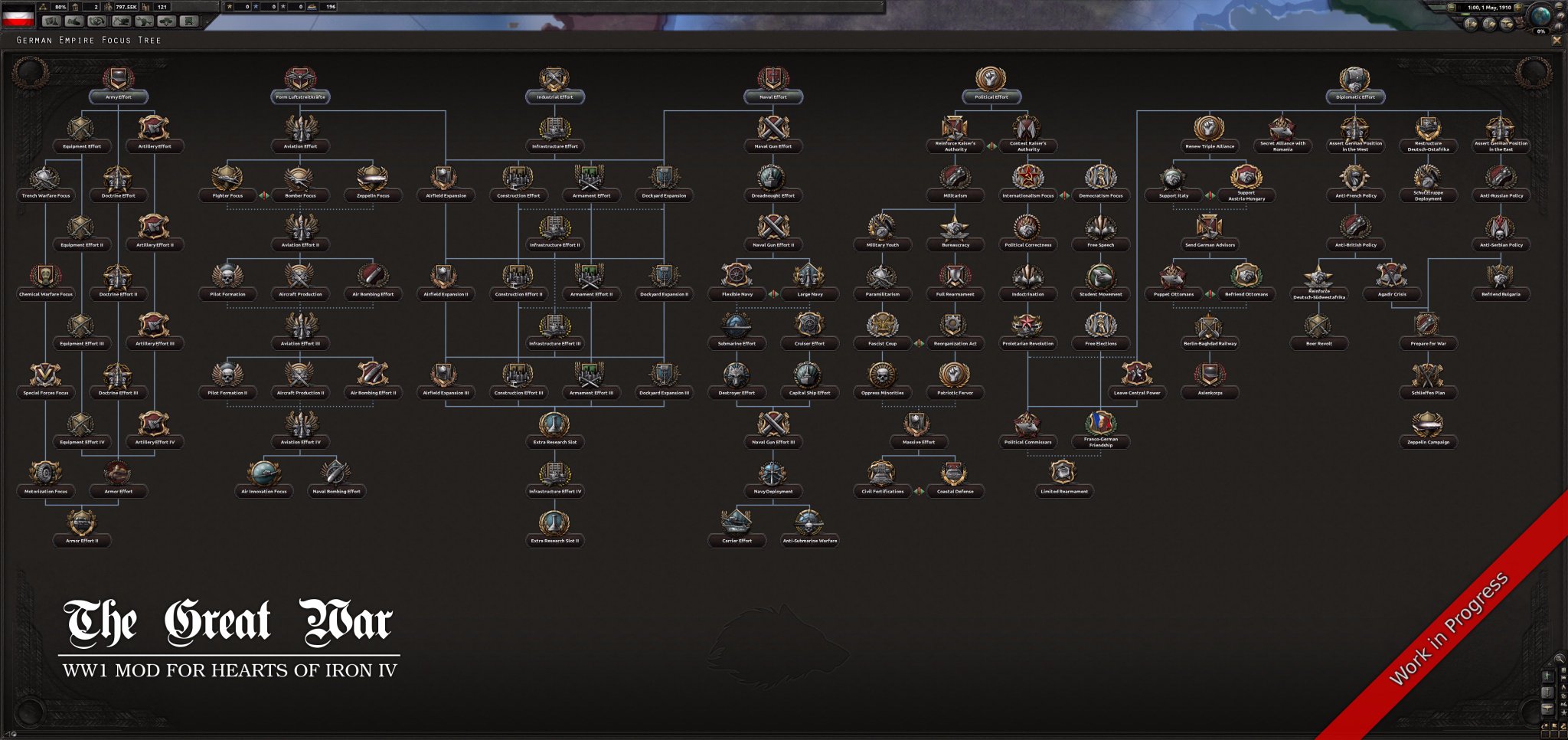
The player will be prompted to choose a national focus for the country if none is active. It normally takes 70 days to complete a national focus, and it costs one political power point per day. National focuses form a tree, like the technology tree, but rather than unlocking technology they are about the country’s choice of direction. One may choose to, for the moment, focus on industrial or technological growth, or orient the country’s diplomacy towards certain other countries, forming research pacts, starting factions, gaining claims, or threatening war. Some National Focus choices are mutually exclusive; for example, the German Reich cannot be friends with both China and Japan.
This menu also allows political power to be spent in order to change government laws or hire political, military and industrial advisers. Most changes will cost a minimum of 150 political power, and very powerful advisers may cost up to 250, with extremely powerful laws and advisers costing up to 300 political power and sometimes even more than that.
Laws and government
- Conscription law: affects how much manpower a country has available.
- Trade law: affects research speed, factory and construction speed and how many resources are available to be traded.
- Economy law: affects how many factories are dedicated to consumer goods, manpower availability, and military production.
There is space for three political advisers who can be hired to give bonuses.
Research and production
A tank designer, ship designer, aircraft designer and material designer can be added to earn bonuses to either production of the relevant weapon system, or affecting its combat abilities.
An industrial concern and a theorist can also be added to improve certain types of research.
Military staff
A Chief of Army, Chief of Navy and Chief of Air Force can be added to improve research or combat skills in their respective services. Three other members of the high command may be hired.
Research
The gray button at the top of the screen marked with a beaker () opens the research menu. There are three or four slots available to research particular technologies, but by pursuing specific national focus ideas the nation may unlock additional research slots, usually up to five.
There are eleven categories of research. Each nation starts with a historically appropriate level of technology and theory, depending on the scenario.
All the research trees (except for doctrines) are marked along a historical timeline. Researching a technology or unit before their historic year takes longer than it would if researched on or after the historic date. This penalty may be reduced by pursuing certain national focus ideas.
Infantry: researching better infantry weapons and different types of infantry divisions. This is where to go to unlock mechanized infantry, paratroopers, marines, mountain troops and so on.
Support: researching support companies that can be attached to divisions. These include engineers, medics, mechanics, and so on.
Armor: research light, medium and heavy tanks, as well as variant tanks based on the chassis unlocked.
Artillery: researching artillery, anti-tank and anti-aircraft weapons.
Land doctrine: Most of the great powers will start with an initial land doctrine. This may be changed, but all land doctrine paths are mutually exclusive. Each land doctrine chosen assigns its own major combat bonuses.
Naval: researching more advanced warships, submarines and convoy/landing craft.
Naval doctrine: Some of the great powers will start with an initial naval doctrine. This may be changed, but all naval doctrine paths are mutually exclusive. The chosen naval doctrine will assign major combat bonuses.
Aircraft: researching different types of fighters, attack planes and bombers as well as carrier borne variants.
Air doctrine: Some of the great powers will start with an initial air doctrine. This may be changed, but all air doctrine paths are mutually exclusive. The air doctrine chosen will assign major combat bonuses.
Engineering: researching electrical engineering for radars (for detection) and computers (for research and encryption bonuses), as well as researching nuclear and rocket technology
Industry: researching means to improve the efficiency, productivity and resource extraction capabilities of the player’s country.
Diplomacy
The gray button with a hand ready to be shaken opens the diplomacy menu. Here is a list of nations and a number of filter buttons to narrow down the list.
When the player clicks on a nation to interact with it, this will display a portrait of its leader and a little bit of information about what the nation is up to. In the upper right corner of the menu, one will see a couple of tiny flags with arrows indicating the relationship between the two nations. There are a number of actions one can take in the diplomatic menu, provided the requirements are met. Democracies are especially limited in their abilities to undertake aggressive diplomatic actions unless the world tension meter has climbed to a high enough level.
Hover the cursor over each option for a description of the diplomatic action and what conditions must be met.
Trade
The gray button with box and curved exchange arrows opens the trademenu. The player will see a number of tabs and columns listing the major resources available, what is required and possible trading partners.
There are six major resources in the game: oil, rubber, aluminum, steel, chromium and tungsten. These are used to help in the construction of tanks, battleships, planes and so forth. Each new production line of a major weapon system will require a certain amount of resources. Though one can build these units without the necessary resources, production will be much slower and less efficient.
Resources are found in certain locations on the map and are not evenly distributed. One will almost always have to trade for what one needs.
To trade for a resource, click on the name of the country and move the slider to determine how much one is trading for. Resources are traded in units of 8. Each trade, unless conducted over land, requires a minimum of 2 convoy vessels plus 1 for every additional 4 units of resource.
Every 8 units of a resource one imports will also cost a civilian factory, with that productive power going to the nation that is traded with. So, exports will make one’s industry stronger as one pulls factory power from other nations, but a lot of imports will make one weaker, but a country will need to import resources to keep its war machine going. Puppets, however, cost less factories to trade with.
Construction
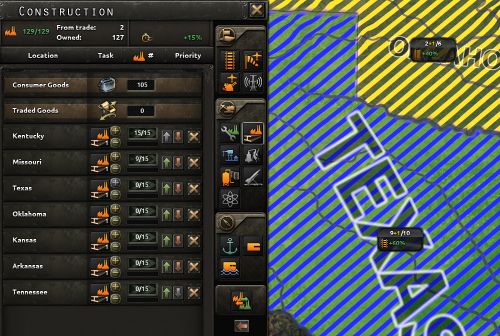
The gray button with the excavator opens the construction menu. This is where one will assign tasks to civilian factories – building infrastructure, new factories, defenses, and so on.
Civilian factories make all the improvements to a State. The number of factories available for construction will depend on the size of the nation, how many factories are being dedicated to providing consumer goods for the country’s population (Economy Law), and how many factories have been “traded” for strategic resources. The amount of civilian factories can be increased by building more, but be careful since each State can only support a certain number of productive structures. A maximum of fifteen factories will be devoted to a construction project, and any left over will work on the next item in the queue.
State structures
The constructions improve the state without using up one of the shared building slots. Instead, each type of improvement here has its own level and maximum.
- Infrastructure: Each state has an infrastructure rating that determines how easy it is to supply units in the state and how quickly military units can move through.
- Air base: The larger the air base, the more planes it can effectively field. Air bases house military aircraft.
- Anti-air: Defends a State from enemy aircraft, and especially useful to protect industrial areas.
- Radar station: Help the airforce detect and intercept enemy air fleets.
Shared structures
- Military factory: Used to produce weapons, equipment and vehicles
- Civilian factory: Used to produce and improve a nation’s military/industrial capacity
- Synthetic refinery: Produce synthetic oil and rubber, especially useful to nations that lack either
- Naval dockyard: Used to produce ships and convoys. Can only be built in coastal states.
- Rocket site: Locations from which to launch rocket attacks on nearby nations
- Nuclear reactor: Produces nuclear weapons
The number of shared structures that can be built is limited by the number of slots available in that State. The number of slots can be increased by researching Industry technologies. Some National Focuses also add extra slots in specific states.
Province buildings
- Naval base: Assists in overseas supply limits and ship repair speed
- Land fort: Hardens the defense of units
- Coastal fort: Hardens the defense against amphibious attacks
Province buildings are built on the smallest territory size in HoI4, the province.
Production
The gray button with the wrench opens the production menu. This is where military factories and dockyards are assigned to build equipment, army vehicles, aircraft and ships.
The more factories one dedicates to building a specific item, the more of it one will produce. Army equipment and planes produced will then be assigned to the appropriate military divisions and air wings, either for new units one is constructing or reinforcement and upgrades for units in the field. Excess equipment is left in the national stockpile. Naval units will be automatically placed in the highest level naval base, though one can assign a port or fleet if that would be preferable (recommended for the Soviet Union so they don’t end up with all new ships stuck in the Black Sea).
Factory output is dependent on the availability of strategic resources for higher end units, and on the efficiency cap of a country’s industry. New production lines will take time to be perfectly efficient, and if one adds factories to a production line, some of that efficiency will be lost. The factory productivity and efficiency can be improved in the Industrial research tree.
Recruit and deploy
The gray button with the tank () opens the army planner menu to recruit and deploy units. This is where you decide what types of divisions you want to train. These divisions will be filled by the equipment and vehicles built in the production menu. You can see what is required to complete a new unit by hovering over the green progress bars.

You start with a few default divisions you can build. You can spend army experience to design a new division template or edit ones that already exist.
The game starts with reinforcement and upgrades given equal weight with the creation of new units. If you would rather focus production of new tanks or artillery on fresh units, instead of trickling equipment to the field, it is possible to set reinforcement priorities on this menu as well.
Logistics
The gray button with the paper and pen opens the logistics menu. This menu gives an overall summary of your stockpiled equipment, whatever shortages one might have, as well as a rundown of how many strategic resources are missing for one’s production lines.
 heartsofiron.home.blog